n0te

Made for Omarchy

A fast reader and quick editor for your Obsidian notes.

n0te opens your vault as clean, readable pages, and gets out of the way. Press super n, type a few letters, and the note is open in your theme in under 30 ms. Press e to edit a block; esc, and it’s a page again.

Download Read the docs Version 0.1.0 · free, MIT-licensed
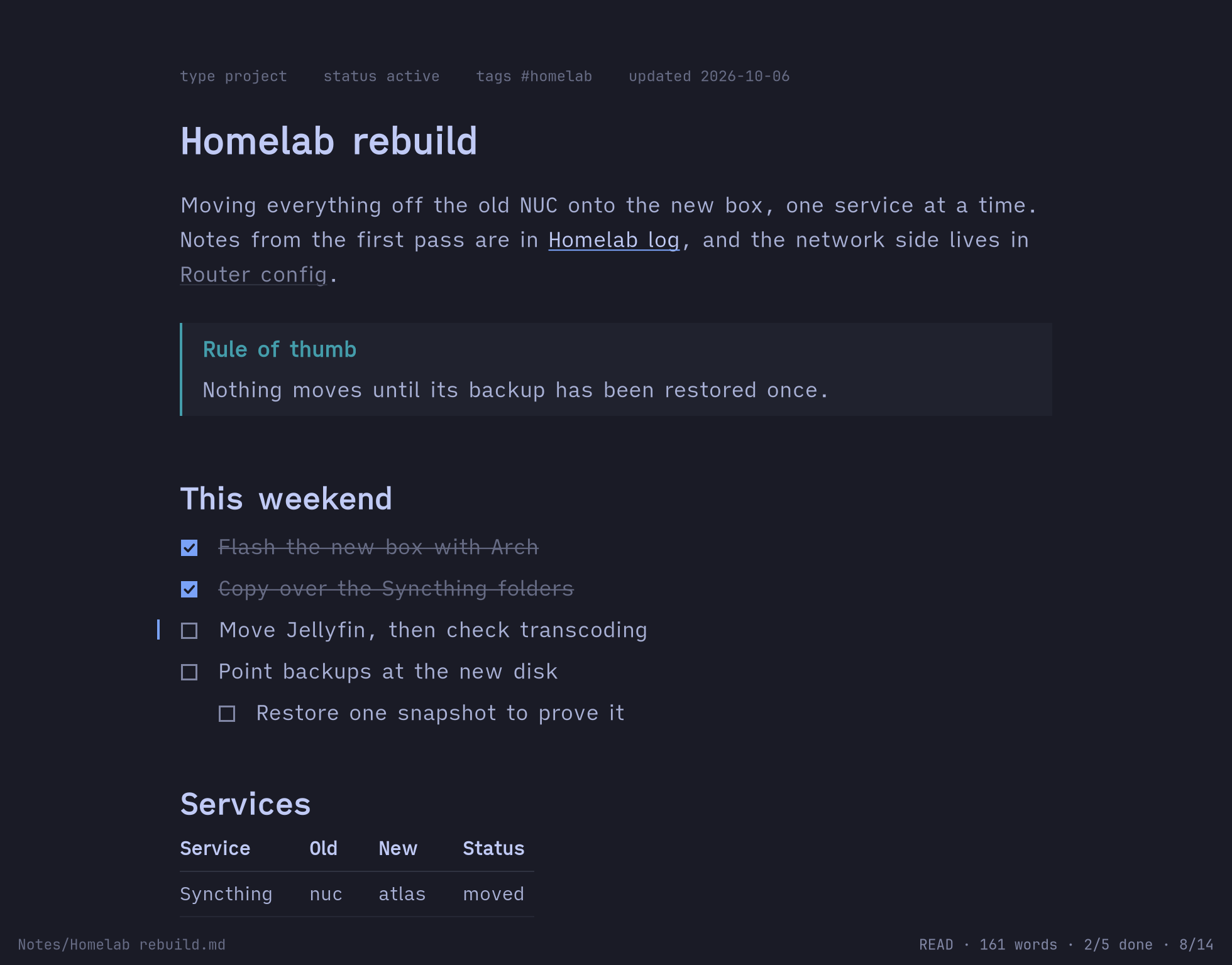
A note in n0te, in the Tokyo Night theme: a heading, a paragraph with two wikilinks, a tip callout, and a checklist with two of five tasks done.

One note in six Omarchy themes. n0te has no theme of its own: it wears yours, and repaints when you switch.

A page while you read, markdown while you write

n0te is for the moments you’d rather not start Obsidian: checking a list, reading a note from the terminal, ticking off a task, fixing a line.

Edit a block, not a file

e turns the paragraph, list item or heading you’re on into its markdown, in a quiet box. Everything else stays a page, so you never lose your place in a wall of syntax.

There’s no save button. n0te writes a second after you stop typing, atomically, and puts every block you didn’t touch back byte for byte.
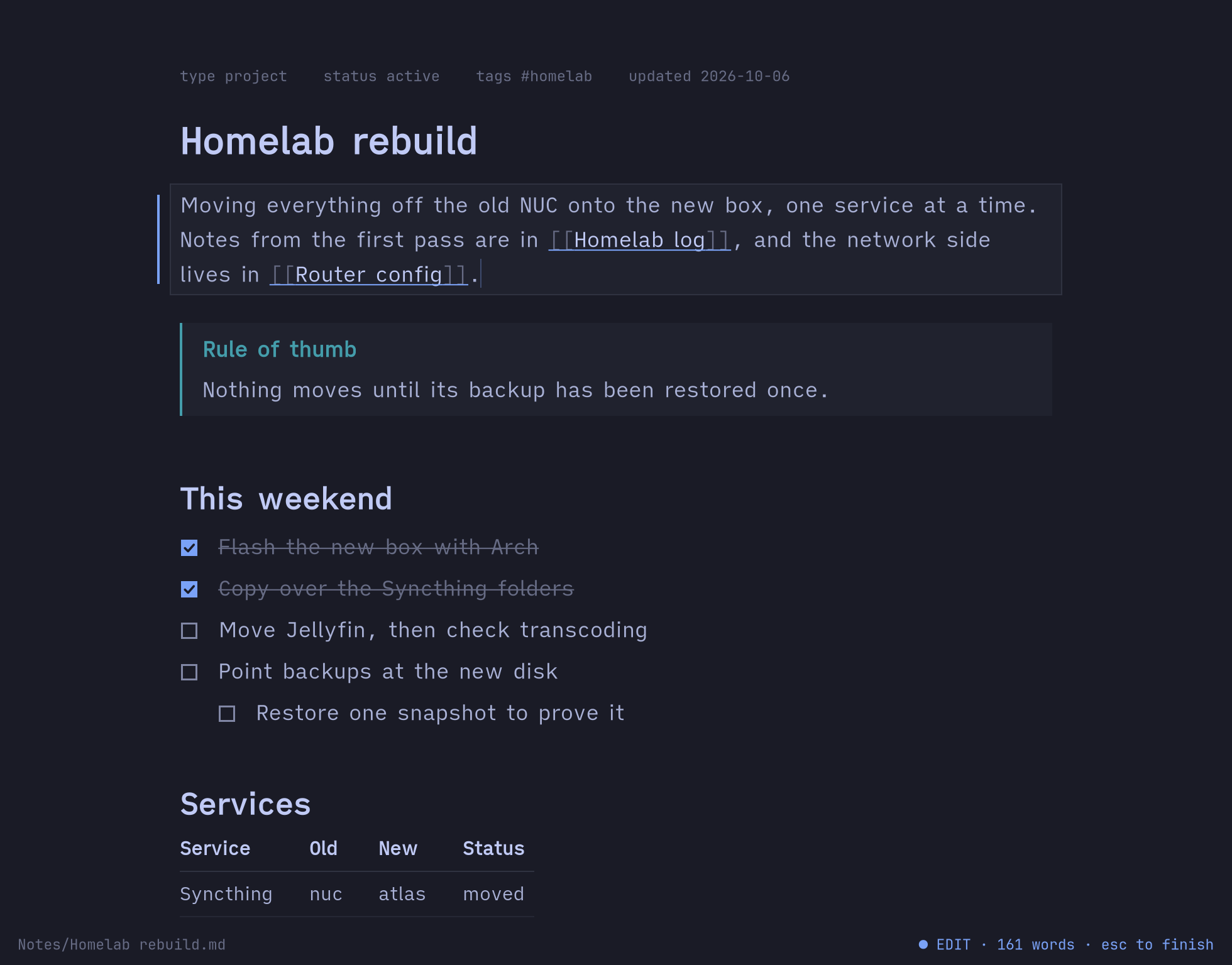
The first paragraph being edited: its wikilinks show their brackets faintly, in a box, while the callout and checklist below stay rendered.

Everything is a few keys away

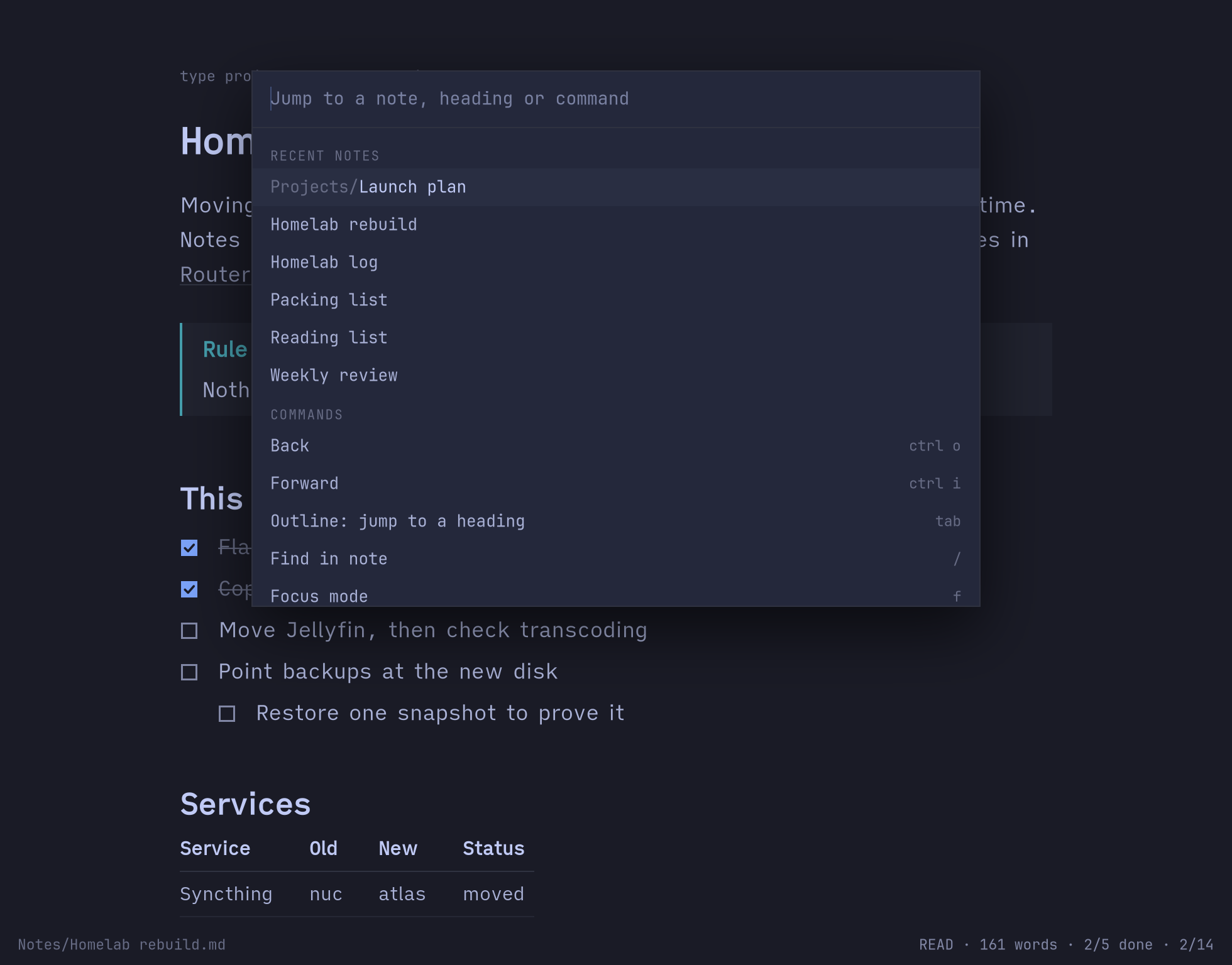
ctrl k opens one palette for notes, the headings in this note, and every command, each listed with its key. ctrl o goes back, tab shows the outline, / finds.

No sidebar, no file tree. Notes are found by name, links resolve the way Obsidian resolves them, and the mouse works when you want it.

The palette over a note, listing recent notes and then commands with their keys: Back ctrl o, Forward ctrl i, Outline tab, Find /, Focus mode f.

Tables and code, set with care

Tables are set in the reading face, measured and wrapped to the window. Code is highlighted with tree-sitter in your theme’s colors, in notes and in any file you open: n0 src/main.rs:42.

Checklists get drawn boxes. x ticks, h hides what’s done, and the page never moves under you.

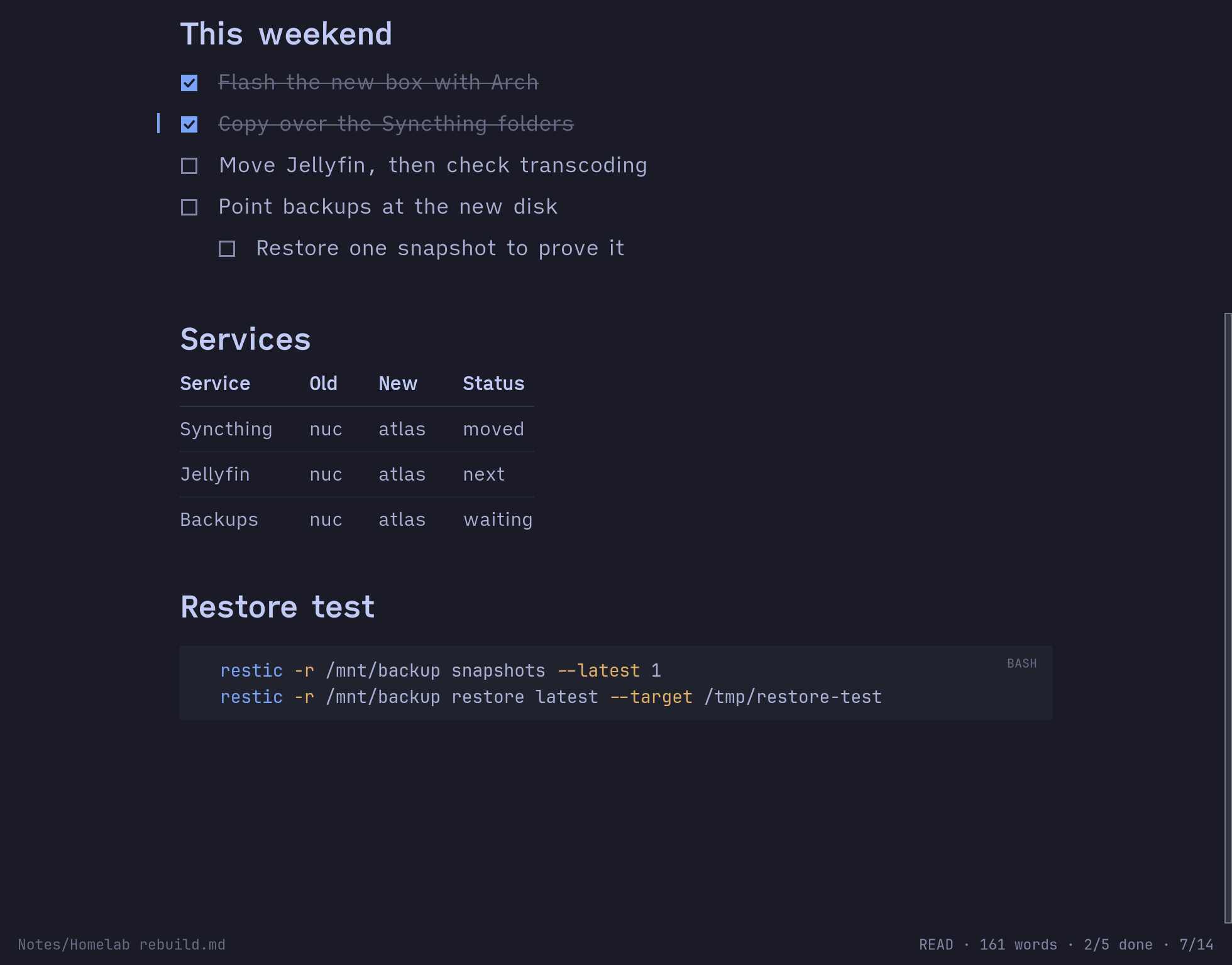
Further down the note: the checklist, a four-column table of services with hairlines between rows, and a highlighted bash code block.

Fast, and careful with your files

n0te shares your vault with Obsidian, sync and git. It’s built not to fight any of them.

Instant

A resident service keeps GTK warm, and the n0 command starts in under a millisecond. A warm open takes 28 ms from command to first frame.

Merges, never clobbers

If a note changes on disk while you edit, n0te merges it into yours, block by block. When it can’t be sure, it pauses autosave and says why.

Clean diffs

Line endings, permissions and symlinks are kept, and a tick changes exactly one character. Your git history stays readable.

Quick capture

n0 -t "buy milk" adds a task to today’s daily note without opening a window. Templates and daily notes follow your Obsidian settings.

Omarchy-native

One command binds super n, starts n0te at login and themes it. A theme switch repaints every open window in place.

Private

No network, no telemetry, no accounts, and no index or cache of your notes. Its runtime files stay in a folder only you can read.

Ten keys and you know it

Vim-flavoured where that helps, and every command is in the palette if you forget.

j knext and previous block
eedit the block
escback to reading
xtick a task
onew block below
ctrl kpalette
ctrl oback
/find in the note
uundo
qclose; it’s saved

All of them: the keys reference.

Install

n0te runs on Linux with GTK 4.20 or newer, and is made for Omarchy. It takes a minute.

Download

n0te 0.1.0 for x86_64 Linux, built on Arch.

$ curl -fLO https://n0te.dhin.dev/download/n0te-x86_64-linux.tar.gz
$ curl -fLO https://n0te.dhin.dev/download/SHA256SUMS
$ sha256sum -c SHA256SUMS
$ tar -xf n0te-x86_64-linux.tar.gz
$ ./n0te/install.sh
$ n0te --setup

Or by hand: n0te-x86_64-linux.tar.gz · SHA256SUMS

What you get

  • install.sh puts n0te, n0te-app and the short name n0 in ~/.local/bin, and touches nothing else.
  • n0te --setup binds super n, starts n0te at login, installs its theme template and tab completion, and says what it did. --setup default also opens .md files in n0te; --setup remove undoes it all.
  • It needs GTK 4.20 and glibc 2.39 or newer, which current Arch and Omarchy have.
  • The source code and an AUR package follow when the repository goes public.

Then press super n. More in Install and First steps, including updating and running n0te without Omarchy.